How hardware wallets work: keeping keys offline while you spend
A hardware wallet is a small device whose only job is to hold private keys and sign transactions. Here is the workflow, the checks that make it useful, and the gaps it leaves open.
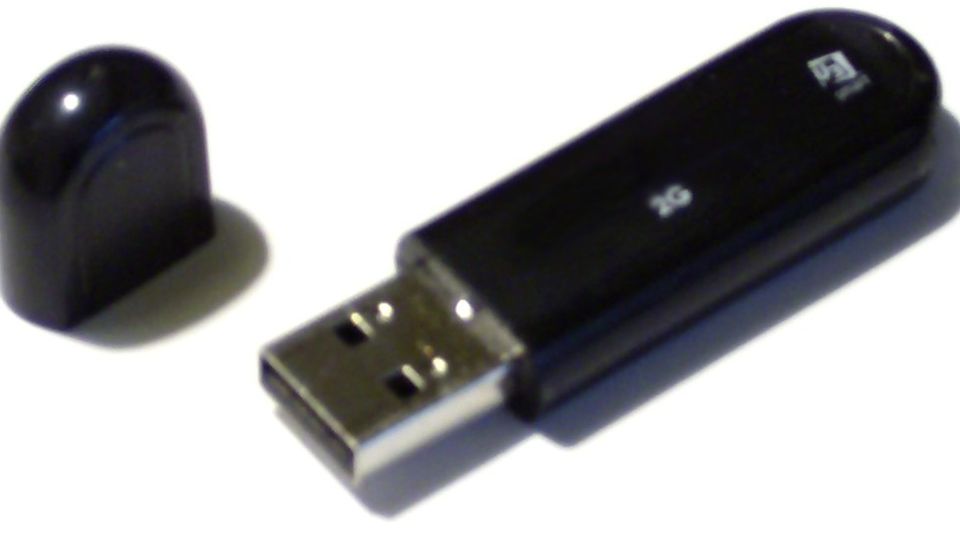
Photo: “USB flash drive (unbranded)” by Peter Hosey, CC BY 2.0, via Flickr (edited: cropped and resized).
A hardware wallet is a small device dedicated to holding private keys and signing transactions [1]. Your computer prepares a transaction, the device shows the details on its own screen, you confirm, and only the signed transaction comes back — the private key stays on the device, offline [2].
Key points
- 1A hardware wallet is a “signing-only” wallet: it never needs to connect to the blockchain itself.
- 2Your computer or phone does the networking, but cannot spend without the device’s signature.
- 3The device’s own screen is the safety check — compare amount and address there, not on your computer.
- 4If the device is lost or breaks, your recovery phrase restores the funds. If the phrase leaks, the device cannot save you.
- 5It does not stop you from approving a scam. It only makes sure you are the one who approves.
On this page
- What problem does a hardware wallet solve?
- How does signing work without exposing the key?
- What should you check on the device screen?
- How does a hardware wallet compare with other wallet types?
- What happens if the device is lost or breaks?
- What can a hardware wallet not protect you from?
- How do you set one up safely?
- Do you actually need one?
- What mistakes do beginners make here?
- Frequently asked questions
- The bottom line
- Sources
What problem does a hardware wallet solve?#
The simplest wallet is a single app that does everything: creates keys, shows addresses, signs and broadcasts transactions. Bitcoin’s developer guide calls this a full-service wallet. Its main weakness is that the private keys live on a device connected to the internet — and compromised devices are common, so malware can send the keys to an attacker [1]. Encrypting the wallet file helps while the keys are idle, but cannot stop an attack that captures the password or reads the keys from memory while they are in use [1].
A hardware wallet splits the job in two. Bitcoin.org describes these as small devices designed from the ground up to be a wallet and nothing else; because no other software can be installed on them, they are very secure against computer vulnerabilities and online thieves [3]. Ethereum.org adds that the private key never touches the internet and stays on the device, which greatly reduces the risk of being hacked even if a hacker controls your computer [2]. NIST, the US standards agency, noted in 2018 that the security of private keys is so important that many users store them on special secure hardware [4].
How does signing work without exposing the key?#
A hardware wallet runs what developers call a signing-only wallet, paired with a networked wallet app on your computer or phone [1]. The device creates the keys and shares only the public side, so the app can show your balance and generate receiving addresses without being able to spend. The flow for spending looks like this:
One transaction through a hardware wallet


Only the finished signature travels back to the computer. A signature authorises that one transaction; it does not reveal the private key. The networked app then broadcasts the signed transaction to the network [1]. To see what a signature does inside a transaction, read how Bitcoin transactions work.
What should you check on the device screen?#
The device’s screen is the whole point. Your computer might be infected; the device is not running the same software, so it can show you what is really about to be signed. Bitcoin’s developer guide explains that reviewing the output details on the signing device prevents malware on the online computer from tricking you into signing a payment to an attacker [1]. On Ethereum, the same habit applies to smart-contract interactions: read the transaction message before signing [2].
| Step | Value |
|---|---|
| Laptop screen: amount | 0.0500 BTC |
| Device screen: amount | 0.0500 BTC |
| Device screen: network fee | 0.0002 BTC |
| Device screen: total leaving the wallet | 0.0502 BTC |
| Address you meant (from the recipient) | ends …k7m2 |
| Address on the device screen | ends …q9x4 — mismatch |
| Right action | Reject on the device; nothing is signed |
Compare the whole address, not just the ending; the short endings here are only for display. If the device and the recipient’s real address disagree, reject. Because blockchain payments cannot be reversed [2], this check is your last chance.
How does a hardware wallet compare with other wallet types?#
| Wallet type | Where the private keys live | Main trade-off |
|---|---|---|
| Custodial account | With the company | Easy recovery, but you rely on the company [5] |
| Phone or desktop app | On an internet-connected device | Easy to use; exposed if the device is compromised [1] |
| Hardware wallet | On a dedicated signing device | Strong protection with less hassle than an offline computer; must buy and carry it [1] |
| Offline computer wallet | On a computer never connected to a network | Strong protection; data must be moved by USB stick each time [1] |
Ethereum.org lists hardware wallets alongside mobile, browser, browser-extension and desktop wallets, describing them as devices that keep your crypto offline [5]. A hardware wallet is one way to keep a cold wallet; an offline computer is another.
What happens if the device is lost or breaks?#
Your coins are not stored in the device; they are recorded on the blockchain, and the device only holds the keys. Signing-only wallets usually create their keys deterministically from a single seed [1], which is why the seed phrase you write down during setup can rebuild them. Bitcoin.org notes that because hardware wallets allow a backup, you can recover your funds if you lose the device [3].
Some devices also ask for a PIN or passphrase before signing [1], so someone who simply picks up a lost device cannot spend straight away. The lesson: the device is replaceable; the recovery phrase is not.
What can a hardware wallet not protect you from?#
- A leaked recovery phrase. Anyone with the phrase can access every account, with or without your device [2]. Typing it into a website or photographing it defeats the device entirely.
- Approving a malicious smart contract. The device signs what you confirm. If a scam site asks you to grant an unlimited token allowance and you approve it, the contract may be able to drain the tokens later [2]. See token approvals and wallet drainers.
- Sending to the wrong address. If you confirm a wrong address, the payment is irreversible [2].
- A faulty or compromised signing device. The protection of any signing-only setup assumes the signing side itself is not compromised or flawed [1].
- Being talked into it. Fake support agents try to win your trust and get you to reveal keys or send funds [2].
How do you set one up safely?#
- Let the device create the keys
In the normal hardware-wallet workflow, the device generates the parent private and public keys itself [1].
- Write the recovery phrase on paper
Do not store it on a computer [5] and never photograph it [2].
- Store the device and the phrase apart
Avoid single points of failure: keep backups in more than one secure place [3].
- Send a small amount first
Receive a small payment, check it arrives, and practise one confirmation on the device screen before moving larger sums.
- Keep the companion software up to date
Updates bring security fixes for your wallet and your computer [3].
Do you actually need one?#
It depends on how much you hold and for how long. The developer guide is candid about the downside: you have to buy a device and carry it whenever you want to spend [1]. Bitcoin.org’s general advice is to keep only small amounts on a phone or computer for everyday use and the rest somewhere safer [3]. Bitcoin.org also describes multi-signature set-ups, in which a transaction needs several independent approvals — its example is an organisation requiring 3 of 5 members to sign — and notes that individuals can use them so a thief cannot steal funds by compromising a single device or location [3].
Hardware wallets in five facts
What mistakes do beginners make here?#
- Confirming without reading the device screen
The device can only protect you if you compare the amount and address it shows with what you intended.
- Treating the device as the backup
The device can be lost, broken or stolen. The written recovery phrase is the real backup.
- Typing the recovery phrase into a computer “to sync”
Doing so moves the key onto an internet-connected device and cancels the main benefit of the hardware wallet.
- Blind-signing smart-contract approvals
A hardware wallet signs approvals just as faithfully as payments. Read what you are approving and avoid unlimited allowances.
Frequently asked questions#
Are my coins stored on the hardware wallet?
No. Coins are recorded on the blockchain. The device stores the private keys that let you spend them, which is why a new device plus your recovery phrase can restore everything.
Is a hardware wallet the same as a cold wallet?
A hardware wallet is one kind of cold wallet: it keeps keys offline. An offline computer used only for signing is another kind [1]. See cold wallet.
Can malware on my computer steal from a hardware wallet?
Malware cannot read the private key from the device, but it can try to trick you — for example by changing the destination address. That is why you check details on the device screen before confirming [1].
What happens if the company that made my device goes out of business?
Your funds do not depend on the company. As long as you have your recovery phrase, you can restore your keys in other compatible wallet software, though wallet programs are not always fully compatible with each other [1].
Do I still need a hardware wallet if I keep crypto on an exchange?
Not for coins left on the exchange — those keys are held by the company. A hardware wallet only protects coins you withdraw to your own addresses. Compare both in custodial vs self-custody.
The bottom line#
A hardware wallet works by separation: your everyday computer handles the network, a dedicated device holds the keys, and nothing gets spent until you approve the details on the device itself. That design blocks a large class of malware attacks.
It is not a force field. A leaked recovery phrase, a careless approval or a convincing scammer can still empty a wallet. Pair the device with a well-stored seed phrase, and learn the tricks in common crypto scams.
Sources#
Grade A = primary source (regulator, protocol specification, client code, original author). Grade B = expert secondary source used for explanation only.
- Abitcoin.org developer documentation. Wallets (Developer Guide), 2026.
- Aethereum.org. Ethereum security and scam prevention, 2026.
- ABitcoin.org. Securing your wallet, 2026.
- AU.S. National Institute of Standards and Technology. NISTIR 8202: Blockchain Technology Overview, 2018. Section 3.4.1, Private Key Storage
- Aethereum.org. Ethereum wallets, 2026.
Keep reading
What is a seed phrase? How 12 or 24 words protect a whole wallet
A seed phrase is the master backup of a self-custody wallet. Here is how the words are made, why they are so hard to guess, and why they are so easy to lose to a scammer.
Custodial vs non-custodial wallets: who really holds your crypto?
With a custodial account a company holds the keys and you trust it. With self-custody you hold the keys and carry the responsibility. Here is what changes, risk by risk.
Token approvals and wallet drainers: how one signature can empty a wallet
To use most crypto apps you first give a smart contract permission to move your tokens. Scammers have learned to ask for that same permission. Here is how it works and how to stay in control.